Quickstart
Install vx, run two commands, and get an accurate picture of your codebase — no API keys required.
Install
brew tap PinedaVictor/vx
brew install pinedavictor/vx/vexal
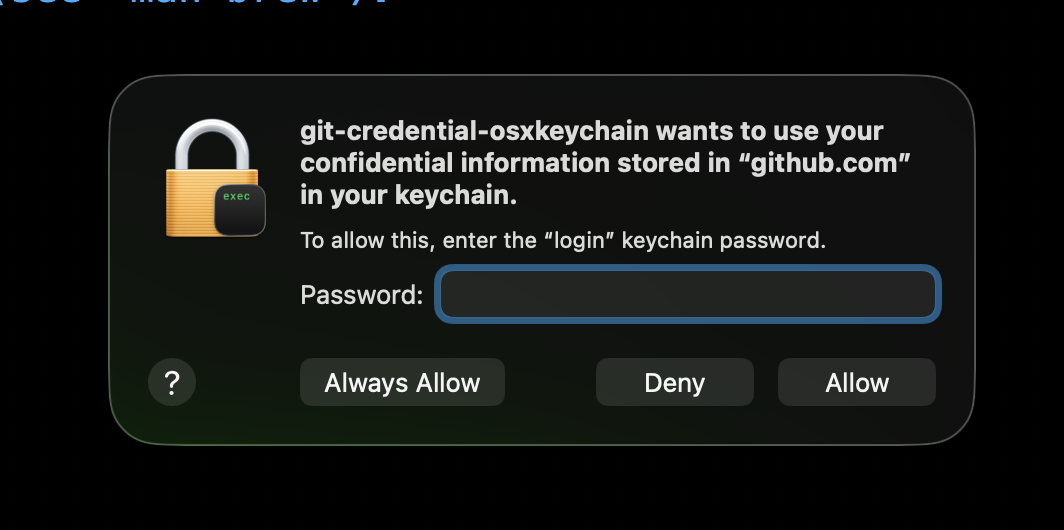
macOS keychain prompt: During brew tap you may see the popup below asking for your keychain password. This is standard Homebrew behavior for custom taps — vexal does not store or access your credentials. You can safely click Deny and the installation will continue normally.
Get started in 60 seconds
Navigate to any repository and run:
vx init
vx overview
vx init builds the dependency graph and creates a .vx config file (added to .gitignore automatically). vx overview shows repo structure at a glance — file count, edge count, and your top 10 most-depended-on files ranked by blast radius.
From there, explore with vx deps <file> and vx impact <file>. No API keys needed for any of these.
AI features (optional)
Commands like vx pr use GitHub and OpenAI. To enable them, add your keys to the .vx config file that vx init generated:
github_key: ""
openai_key: ""
repo: ""
repourl: ""
Never commit this file — vx init adds it to .gitignore automatically.
Need tokens? GitHub Access Tokens » OpenAI »